Showing posts with label Software. Show all posts

Software : Adobe Flash Player 10.1.53.64 Final

Adobe® Flash® Player is the high-performance, lightweight, highly expressive client runtime that delivers powerful and consistent user experiences across major operating systems, browsers, mobile phones, and devices. Adobe® (formerly Macromedia) Flash Player – the universal rich client for delivering effective Adobe Flash experiences across desktops and devices.

Software : Microsoft Office 2010 (2010/Full/Eng/Original-DVD)

Microsoft Office 2010 (2010/Full/Eng/Original-DVD) 1.5 GB eks:nrg

Microsoft Office 2010 gives you powerful new tools to express your ideas, solve problems, and connect with people. Office 2010 lets you work how, when, and where you want, letting you get things from a PC, the Web, and even a smartphone.

Use Office 2010 virtually anywhere: PC, phone, browser
With Microsoft Office 2010, you can review and do minor editing on Word, Excel, PowerPoint, and OneNote 2010 documents, virtually anywhere, by using Office Web Apps from more locations on more devices.

Keep your people productive on the go. Office 2010 lets you access and edit documents stored on a server while you’re offline with SharePoint Workspace 2010, and then automatically syncs these changes when you’re back online. So you stay productive while on the go.

Support your employees, regardless of location or device. Office 2010 saves you time and money by helping you deploy and manage Office on the PC, the smartphone, and the Web, all from within familiar Microsoft System Center tools.

Bring ideas to life
Create and deliver presentations that help you stand apart from the competition. Office 2010 puts you in the director’s chair, enabling you to create dazzling digital content in PowerPoint 2010 without the need for expensive third-party tools. And you can broadcast your presentation to anyone with a browser, even if they don’t have PowerPoint.

Stay organized and on top of your work. OneNote 2010 pulls together everything from daily sales figures to digital images, so all the information you need is easily accessible. You can also create side notes that stay on your screen as you move between different programs, so you can keep your thoughts organized as you multi-task. This helps you stay organized while saving you time.

Turn intuition into insights to make quicker and more informed business decisions. Excel 2010 provides tools for improved data visualization, which can give you key insights into business processes and tailor messaging and products to best meet customer needs. Whole trends can be conveyed in a single cell with Sparklines. And there are more options in styles and icons in conditional formatting, as well as the ability to highlight specific items like such as “max/min” in a single click.

Work better together
Collaboration means better work and beating deadlines. Co-authoring allows multiple people to work on the same document at the same time, such as an RFP, to respond faster and meet deadlines. With Office 2010, several team members can work on Word 2010 and PowerPoint 2010 documents simultaneously and see who else is working on which sections, regardless of location.

Reduce travel costs and spend less on third-party conferencing tools. Office 2010 helps your people save time and money by providing one-click communication through unified communications technology, and real-time document sharing from within Word, PowerPoint, and Excel 2010 without the need to switch applications. This makes virtual meetings more effective so team members can get more done without being in the same room.

Instantly share a presentation. Hold spontaneous meetings with customers and partners with PowerPoint 2010. Broadcast Slideshow allows you to present a slideshow entirely through a Web browser"no matter where your audience is at. No need for your customers to have a third-party conferencing tool, or even PowerPoint. All they have to do is click on a link and a browser window opens with your slides.

Download
Microsoft Office 2010 (2010/Full/Eng/Original-DVD

Software : Microsoft Office 2007 SP2 Black Edition


MS Office 2007 SP2 Black Edition v2.0 is an ongoing project to make Office 2007 more compatible and easier to use. It supports almost every office document format including Open Office and Google Docs formats.

This release jumps to version 2, due to the UAC elevation that I've kicked around for months. Vista and 7 users can now install from any account and from any UAC level. You will only be asked once to allow ob_install.exe to run; the rest of the script executes perfectly even with UAC on full blast. Post SP2 updates were removed; they took to damn long to install and I wanted to keep the package at ~700 MB. The classic menu not registered bug is also fixed now, sorry to everyone that d/led 1.7.

-Enterprise edition pre-activated from an admin install point;
-Suitable for XP, Vista, 7 - x86 or x64;
-SP2 included and installs automatically;
-Classic Menus for Office 2007(uninstallable), because let's face it, ribbons are difficult to navigate;
-Black theme and other registry tweaks applied;
-Pre-installed add-ins for productivity;
-Updates without problem, and PASSES OGA VALIDATION, so templates or addins can be ownloaded without hassle.

Includes:
- Access
- Excel
- Groove
- InfoPath
- OneNote
- Outlook
- PowerPoint
- Publisher
- Visio Viewer
- Word

Addons:
- Classic Menus for Office
- Office Live Beta
- OffiSync (Google Docs Support)
- ODF Addon for Office (Open Office Format Support)

Filetypes Supported:
- All MS formats
- All Google Docs formats
- All Open Office Formats
- Can save as XPS or PDF

Install Notes:
VISTA AND WINDOWS 7 USERS: you will be prompted to allow "ob_install.exe" to run, if you have UAC turned on.
Office 2007 is customizable, install what ever components you like.
The "Applying Updates" takes awhile, please be paitent.
Add-ins are installed after office, please give it a few minutes to install them.
Add-ins will download some files (hotfixes for OS platforms, .Net updates if needed).
If prompted to reboot, choose "No" and wait 2 minutes, then reboot.

Changelog for v2.0:
- All UAC issues solved, this can be run with UAC on now.
- Post SP2 updates removed; took to long to install.
- Fixed Classic Menus not registered bug from 1.7.


DOWNLOAD
INDOWEBSTER
Part 1
Part 2

Software : Microsoft Office 2003 SP3 All-In-One Full Version


This AIO disc has been completely updated with the all latest fixes.
It has also been compressed so it resembles the original CDs.

Hotfixes:

Office 2003 Professional
KB907417 - Update for Office 2003
KB921598 - Security Update for Microsoft Office 2003
KB943649 - Update for Outlook 2003
KB943973 - Security Update for Microsoft Works Suite 2005
KB945185 - Security Update for Office 2003
KB947319 - Security Update for Microsoft Office Web Components
KB950213 - Security Update for Microsoft Office Publisher 2003
KB951535 - Security Update for Microsoft Office 2003
KB953404 - Security Update for Microsoft Office 2003
KB955439 - Security Update for Access Snapshot Viewer 2003
KB972580 - Security Update for Microsoft Office 2003
KB973443 - Security Update for Microsoft Office Word 2003
KB973475 - Security Update for Microsoft Office Excel 2003
KB973705 - Security Update for Microsoft Office Outlook 2003
KB974554 - Security Update for Microsoft Office 2003
KB975051 - Security Update for Microsoft Office 2003
KB976881 - Security Update for Microsoft Office PowerPoint 2003
KB977713 - Update for Microsoft Office Outlook 2003 Junk Email Filter
KB978551 - Update for Microsoft Office 2003

FrontPage 2003
KB921598 - Security Update for Microsoft Office 2003
KB943973 - Security Update for Microsoft Works Suite 2005
KB945185 - Security Update for Office 2003
KB947319 - Security Update for Microsoft Office Web Components
KB951535 - Security Update for Microsoft Office 2003
KB953404 - Security Update for Microsoft Office 2003
KB972580 - Security Update for Microsoft Office 2003
KB974554 - Security Update for Microsoft Office 2003
KB975051 - Security Update for Microsoft Office 2003

Project 2003 Professional
KB921598 - Security Update for Microsoft Office 2003
KB945185 - Security Update for Office 2003
KB947319 - Security Update for Microsoft Office Web Components
KB949045 - Security Update for Microsoft Office Project 2003
KB951535 - Security Update for Microsoft Office 2003
KB953404 - Security Update for Microsoft Office 2003
KB961082 - Security Update for Microsoft Office Project 2003
KB972580 - Security Update for Microsoft Office 2003
KB974554 - Security Update for Microsoft Office 2003
KB975051 - Security Update for Microsoft Office 2003

Visio 2003 Professional
KB945185 - Security Update for Office 2003
KB951535 - Security Update for Microsoft Office 2003
KB953404 - Security Update for Microsoft Office 2003
KB955655 - Security Update for Microsoft Office Visio 2003
KB972580 - Security Update for Microsoft Office 2003
KB974554 - Security Update for Microsoft Office 2003

OneNote 2003
KB921598 - Security Update for Microsoft Office 2003
KB951535 - Security Update for Microsoft Office 2003
KB953404 - Security Update for Microsoft Office 2003
KB972580 - Security Update for Microsoft Office 2003

Software : Yahoo! Messenger 10

Yahoo! Messenger is a popular advertisement-supported instant messaging client and associated protocol provided by Yahoo!, that allows you to see when friends come online and to send them instant messages.

It also can alert you to new e-mail in your Yahoo Mail or Yahoo Personals accounts, or when you have upcoming events recorded in your Yahoo Calendar. Yahoo Messenger offers firewall support, a standby mode that minimizes the program until an Internet connection is made, the ability to save and print your conversations, and a tabbed interface that provides quick access to your favorite stocks, news, and sports scores.

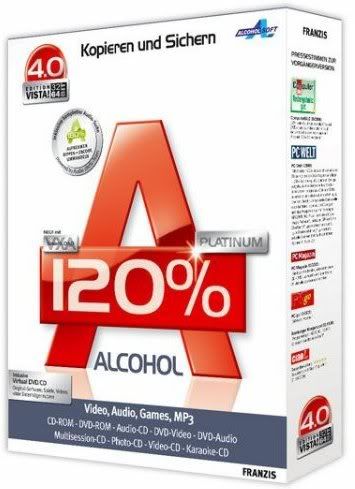
Software : Alcohol 120% Retail v2.0.0.1331 (Win 7 Compatible)


Alcohol 120% Retail v2.0.0.1331 (Win 7 Compatible)

Alcohol brings new meaning to the word multimedia! It is without a doubt a leader in its class, bringing the ability to emulate and record CDs and DVDs together into one amazingly easy to use software program. Now includes Alcohol Xtra. A unique Pre-Mastering function.

Using the latest technology the program is constantly being developed and improved to add new features, allowing it to maintain it's position as a leading software package. Imagine being able to store your most used CDs as images on your computer and just call them up at the click of a button! And then run them at 200x the speed of some CD drives and without requiring the CD itself! How about being able to make a backup of that CD onto another CD either using the CD itself or just using the image you have created? This is what Alcohol allows you to do and much more.

Features:
- Alcohol 120% enables you to make a duplicate back-up to recordable media of nearly all your expensive Game/Software/DVD titles, and/or an image that can be mounted and run from any one of Alcohol's virtual drives.

- No other software available enables you to create up to a staggering 31 virtual drives, allowing you to run your game images at over 200x faster than from a conventional CD-ROM. Alcohol 120% is a powerful utility that uses a unique combination of options to ensure a perfect back-up every time.

- All you need is a PC combined with a CD or a DVD burner. No more replacing your expensive original discs due to loss, theft, scratches, or other media imperfections. Your duplicate works just like the original; your entire collection can be archived and your investment protected.

- In the home: Have you had experiences with the common conditions of CDs/DVDs? They can easily get scratched, damaged, broken, lost or even stolen. Alcohol provides you with peace of mind and protects your investment.

- Your original games/program discs can be safely stored away. Alcohol-created images mean that you always have your expensive media stored safely on your hard drive for instant retrieval at the click of a button. No more searching for the correct game disc or software application install disc, everything is at your fingertips.

- You can now, for instance, simultaneously play your favourite game and bring up your route planner without having to eject and reload any physical discs, The 31 virtual drive ability of Alcohol means you can have the equivalent of a staggering 31 CD-ROM drives in your Home PC, all instantly accessible. You can simply and quickly run your Disc image at around 200 times faster than that of a conventional CD-ROM drive. If you need a program or CD it is immediately there - always ready to use!

- At the office: Program discs and many other applications generally require the original disc to be in the computer's CD-ROM drive. This restricts the amount of people in your office who can have access to the same software at the same time without the cost of additional discs. Alcohol's virtual drives resolve that problem for you. No more hunting around the offices for that elusive disc you need to run your application, everything you require is just a click away.

- With Alcohol you can store your CD images on your office server, your colleagues and employees at their respective networked workstations will never need to come asking for a CD again, they will not even require an expensive CD-ROM drive installed in their workstation PC! A simple click is all that is required for them to have full access to any disc image they require for their day to day work. Your valuable CDs can be safely kept under lock and key.


# What's new in Alcohol 120% v2.0.0.1331:
- User Interface with Full Unicode Support
- Folder Management
- Enhanced Reading Writing Engines
- Audio Converter Plugin for MP3 Conversion
- Alcohol iSCSI sharing Centre
- Built in Protection Scanner

Compatible with: Windows XP/Vista/Win7 (32/64 bit)
Multilingual: English, Spanish, Italian, French, Japanese, German, Portugues, etc.

Download
Alcohol 120% Retail v2.0.0.1331

Software : Uniblue PowerSuite 2010 2.1.2.7

Uniblue PowerSuite 2010 2.1.2.7 | 14.5 Mb
PowerSuite - is a complete solution to your computer's performance. Merging RegistryBooster, DriverScanner and SpeedUpMyPC within a single interface, PowerSuite increases and protection of vulnerable groups, but very important element of the system are tied to the speed and stability.

- Remove harmful registry entries to reduce the number of errors and data conflicts Defragment registry to improve the efficiency of data processing

- Updating the old drivers to improve hardware functions
- Boost the resource management system to reduce the delay
- Removing unwanted files to recover hard disk space
- Optimizing system settings for maximum speed
- User-friendly interface for centralized three awards programs
- Integrated performance analysis
- Powerful and comprehensive productivity
- Automatic and unobtrusive service
- Reliable technology from Microsoft Gold Certified Partner

SpeedUpMyPC - the program to speed up your computer. According to the developers increases the rate
even the most powerful machines. SpeedUpMyPC automatically determines the best installation for your
computer and manages system resources, providing better performance. With SpeedUpMyPC
You can create cleaning system, to monitor the use of resources and accelerate performance.

Features:
- Automatically scan the system performance
- Overview of CPU
- Improving the functionality of the processor
- Review the use of RAM
- Optimize RAM
- Review the use of disk space
- Analyzing and defragmenting hard drives
- Analysis and Optimization speed internet connection
- Startup Manager
- Task Manager
- Review of and recommendations for increasing its productivity
- Crawling on unnecessary or unwanted data
- Complete destruction of confidential data (optional)
- Manager to uninstall the program
- Nice and easy interface yuzersky

RegistryBooster - designed to optimize and clean registry Windows. With the technology of automatic error detection Registry Booster detects fragmented, damaged, or incorrect registry keys and corrects the detected errors, thereby enabling improved performance and overall system stability.

Features:
- Scan and find outdated system drivers
- Download the latest version of the driver
- Select the number of simultaneous downloads
- Displays the status of drivers
- Display the scanning process
- Create a backup installed drivers
- Restore the system after its collapse
- Easy and intuitive user interface

Download
Uniblue PowerSuite 2010 2.1.2.7

Software : Screen Saver Marine Aquarium 3.0.3855


You'll see a variety of unique inhabitants of the underwater world. Marine Aquarium can work as a screensaver or as a stand-alone program. It supports multiple monitors, widescreen monitors, as well as can be independently set the size of the picture.Marine Aquarium has an unusual realism that allows you to enjoy watching its inhabitants for a long time. Also present clock, calendar, choice, and the inhabitants of the aquarium, etc.

Download
Screen Saver Marine Aquarium 3.0.3855

Software : Google Earth Pro 5.0.1337 (GPS + 3D Support) Precracked

Google Earth is a virtual globe program that lets you surf through our entire planet. You can zoom and search for your town and much more things such as school, churches etc! Google Earth Pro (Gold) is the upgraded version, it has a lot of more features such as movie making or advanced printing and much more.
Worth 400 $ Google Earth Pro combines the power of Google Search with satellite imagery, maps, terrain and 3D buildings to put the world’s geographic information at your fingertips.

Google Earth for Pilots – This is part of a new series exploring Google Earth uses for different professions/ hobbies.

How to Get 3D Buildings in Google Earth Flight Simulator

  1. Enter Flight Simulator mode – Select “Tools->Enter Flight Simulator”. Optional: fly to a city which has 3D buildings (tip: San Francisco, Baltimore, Atlanta, Raleigh, Charlotte – these all have lots of 3D buildings). NOTE: – there is a bug in GE 4.3 if you select the “Current View” option in the “Enter Flight Simulator” window, you may end up at an higher altitude than you expect upon starting the flight (much higher). Just fly back down to the city level.
  2. Open the Sidebar – Sidebar shortcut – Press ‘Ctrl + Alt + B’ (or + Option + B’ on the Mac) to bring up the sidebar
  3. Turn on 3D Buildings – Turn these on in the Layers pane in the lower left after the sidebar opens.
  4. Turn Off Sidebar – IMPORTANT – before resuming the flight simulator, turn off the sidebar by hitting the sidebar shortcut from step 2
  5. Resume flight – Now you can resume flying the flight simulator by hitting the SPACE key and the 3D buildings should stay on for your current flight.
Download

Google Earth Pro 5.0.1337 (GPS + 3D Support) Precracked

Software : Translator XP Enterprise


Translator XP Enterprise adalah software penerjemah kalimat dua arah dari bahasa Indonesia ke bahasa Inggris dan sebaliknya.

Translator XP diprogram untuk melakukan penerjemahan kalimat secara analisis kata per kata dengan mencoba mendekati kaidah aturan bahasa yang sebenarnya. Translator XP akan mengecek hubungan jenis kata antara kata-kata yang berdekatan. Karena itu pada setiap databasenya, setiap kata selalu diakhiri dengan tanda (b), (k), (v), (t), (g) atau (s) yang sebenarnya menjelaskan jenis kata yang bersangkutan (kata benda, kata keterangan, kata kerja, kata penunjuk, kata ganti atau kata sifat).

Translator XP Enterprise mampu membedakan 5 tenses utama yang sering digunakan seperti Present, Present Perfect, Past, Future dan Present Continous, baik untuk kalimat aktif maupun pasif untuk pola positif, negatif dan interogatif.

Translator XP juga mendukung alternatif arti, pengecekan idiom dan spesifikasi bahasa (misalnya bahasa Inggris untuk komputer, bahasa Inggris untuk teknik, dll)
Translator XP juga menyediakan beberapa fasilitas yang bersifat pendidikan, yang kami peruntukkan bagi Anda yang ingin mempelajari bahasa Inggris secara lebih mendalam. Fasilitas itu misalnya Kamus yang bisa ditambahkan contoh kalimatnya, Games , dan Text to Voice Converter

Fitur-fitur penting:

1. Tingkat akurasi yang tinggi pada saat penerjemahan kalimat
2. Kecepatan terjemahan mencapai 800 karakter/detik
3. Built in grammar (tenses, kalimat aktif/pasif, gerund, kalimat tanya, dll)
4. Support idiom (hingga 4 tingkat)
5. Ada database frase untuk penerjemahan per frase
6. Terjemahan dua arah (Bahasa Inggris-Bahasa Indonesia dan Bahasa Indonesia-Bahasa Inggris)
7. Ada kamus kata untuk pencarian kata secara cepat. Juga disertai contoh kalimat
8. Ada menu text to voice converter
9. Support penerjemahan bahasa inggris dengan spesifikasi khusus misalnya Inggris untuk komputer, Inggris untuk teknik, dll
10. Ada games edukasi

Jenis Kata
Jenis kata merupakan komponen yang paling penting pada Translator XP. Jika Anda ingin menambahkan kata baru ke dalam database, Anda harus memilih jenis kata yang disediakan Translator XP.

Jenis-jenis kata itu adalah
1. Kata keterangan (simbolnya k) :
Contohnya now, yesterday, ago, sekarang, tadi, kemarin, nanti, besok
2. Kata penunjuk (simbolnya t)
Contohnya this, that, those, these, ini, itu
3. Kata benda (simbolnya b)
Contohnya dog, cat, chair, kucing, anjing, meja
4. Kata kerja (simbolnya v)
Contohnya eat, go, come, makan, pergi, datang
5. Kata sifat (simbolnya s)
Contohnya white, red, new, dangerous, putih, berbahaya, baru
6. Kata ganti (simbolnya g)
Contohnya we, you, i, he, kami, kamu, saya, dia
Pemilihan jenis kata yang tepat menentukan keakuratan terjemahan.

Sebagai panduan, berikut ini adalah pola hubungan jenis kata dalam Translator XP yang terjadi pembalikan posisi

1. Untuk bahasa Indonesia-Inggris

* Kata benda-kata benda : lemari besi = iron cupboard
* Kata benda-kata penunjuk: lemari ini=this cupboard
* Kata benda-kata sifat: lemari baru=new cupboard
* Kata benda-kata ganti : lemari saya=my cupboard
* Kata sifat-kata sifat: merah putih=white red

Untuk hubungan jenis kata yang lain posisinya tetap
2. Untuk bahasa Inggris-Indonesia

* Kata benda-kata benda : friend house =rumah teman
* Kata sifat-kata benda: new house=rumah baru
* Kata sifat-kata sifat: white red=merah putih
* Kata penunjuk-kata benda: this house=rumah ini

Untuk hubungan jenis kata yang lain posisinya tetap

Akurasi Hasil
Akurasi hasil penerjemahan Translator XP dapat Anda atur sesuai dengan keinginan Anda. Anda tinggal meng-klik Menu Tool ? Option ? Konversi.

1. Pilihlah Akurasi terjemahan Optimal atau Akurasi terjemahan Normal.
2. Pilihlah Terjemahkan sesuai urutan kata atau Terjemahkan mendekati kaidah bahasa asli
3. Centanglah pilihan Cek idiom jika diperlukan
4. Centanglah pilihan Cek frase jika diperlukan

Tambah kata
Jika Anda ingin menambahkan kata baru ke dalam database. Silahkan klik menu Translator ? Database ? Tambah Kata. Setelah itu ketik kata yang ingin Anda tambahkan (pada field Kata), kemudian ketik juga arti kata tersebut (pada field Arti) dan pilih jenis kata yang sesuai (pada field combobox). Terakhir tekan tombol Tambah.

Tenses
Translator XP mendukung 5 tenses utama yang sering digunakan yaitu Present, Present perfect, Future, Present continue dan Past.
Translator XP juga mendukung penerjemahan kalimat aktif dan pasif untuk pola positif, negatif dan interogatif.
Contoh:

1. Saya membelikan rumah mewah untuk isteri saya = i buy luxurious house for my wife
2. Rumah mewah dibeli saya untuk isteri saya= luxurious house is bought me for my wife
3. Saya baru saja membelikan mobil baru untuk ayah saya=i have just bought new car for my father
4. Rumah paman telah dijual kepada orang kaya itu =uncle house has been sold to that rich person
5. Apakah kita akan pergi untuk mengunjungi teman baik kamu besok= shall we go to visit your good friend tommorow

Idiom
Translator XP mempu membaca idiom kata hingga 4 tingkat.
Contoh:

* nice to meet you = senang bertemu anda
* how do you do = apa kabar
* good morning = selamat pagi

Untuk penambahan idiom baru ke dalam database. Klik menu Translator ? Database ? Tambah idiom. Setelah itu pada field idiom ketik idiom yang ingin Anda tambahkan (misal nice to meet you). Kemudian pada field arti ketik arti idiom tersebut (misal senang bertemu anda) dan pilih jenis kata yang sesuai (pada field combobox). Terakhir tekan tombol Tambah.

Alternatif Kata
Kebanyakan kata yang ada dalam database memiliki beberapa arti kata misalnya apotek dengan padanan katanya pharmacy atau dispensary.

Jika anda ingin mencari atau menampilkan alternatif arti dari kata yang sudah diterjemahkan ada 2 cara yang dapat dilakukan, Klik Tool ? Option ? Tampilan;

1. Jika anda mengaktifkan option Hanya beri warna untuk alternatif kata

Maka ketika penerjemahan selesai, bloklah arti dari kata hasil terjemahan misal pharmacy (hasil terjemahan dari apotek). Kemudian klik mouse kanan. Jika cara Anda benar, maka secara otomatis Translator XP akan menambahkan menu “Arti lain” yang berisi alternatif arti dari kata tsb (dispensary). Anda juga bisa memberi warna pada alternatif kata ini dengan memilih pilihan warna yang tersedia pada menu Translator ? Option ? tampilan ? warna untuk alternatif kata.

2. Jika anda mengaktifkan option Tampilkan alternatif kata
Secara otomatis Translator XP menampilkan alternatif arti disamping arti utamanya misal pharmacy [dispensary]

Spesifikasi Bahasa

Khusus untuk bahasa Inggris, Translator XP menyediakan penerjemahan menurut spesifikasi bahasa. Secara default ada 2 pilihan yang tersedia yaitu bahasa Inggris Standard dan bahasa Inggris untuk Komputer.

Jika Anda ingin menambahkan spesifikasi Bahasa Inggris yang lain misalnya Inggris untuk teknik atau Inggris untuk Akuntansi, pertama kali aktifkan dulu opsi Aktifkan spesifikasi bahasa inggris pada menu Tool ? Option ? Setting.

Kamus
Dictionary yang disediakan Translator XP baik kata maupun idiomnya mirip seperti yang dimiliki software Linguist. Hanya saja selain berisi padanan kata dan jenis katanya, pada beberapa kata atau idiom diberikan juga contoh kalimatnya.
Untuk keperluan pencarian, anda bisa mengetikkan kata atau idiom yang ingin anda cari pada field Kata. Kemudian tekan tombol Find.

Tentang Option
Secara umum ada 3 kategori option yang disediakan yaitu
1. Konversi

* Gunakan akurasi terjemahan optimal. Klik opsi ini jika anda ingin proses terjemahan bisa melakukan cek frase
* Gunakan akurasi terjemahan normal. Klik opsi ini jika anda ingin proses terjemahan tidak perlu melakukan cek frase
* Terjemahkan sesuai urutan kata. Jika anda memilih menu ini maka hasil penerjemahan benar-benar diurutkan sesuai kata yang ada dalam notepad source
* Terjemahkan mendekati kaidah bahasa indonesia/bahasa asli. Inilah hasil penerjemahan terbaik yang sebaiknya anda pilih
* Cek idiom. Berguna memerintahkan Translator XP untuk mengecek idiom
* Cek Frase. Berguna memerintahkan Translator XP untuk mengecek frase
* Aktifkan temporary arti. Menu ini juga berfungsi untuk mengaktifkan fasilitas tracking/pencarian asal kata.

Caranya blok salah satu kata hasil terjemahan, kemudian klik mouse kanan. Jika cara anda benar maka akan muncul menu asal kata yang berisi kata asli dari penggalan kata hasil terjemahan tadi.

* Aktifkan temporary database. Menu ini untuk mempercepat proses penerjemahan
* Alternatif arti. Apakah ingin ditampilkan atau hanya sekedar diberi warna saja

2. Tampilan

* Cek jumlah kata yang tidak dikenal. Translator XP akan memberitahukan berapa jumlah kata yang tidak dikenal.
* Tampilkan kata yang tidak dikenal. Translator XP akan memberitahukan jika ada kata yang tidak dikenal dengan cara tidak menterjemahkannya atau membiarkan kata tersebut sesuai dengan asal katanya
* Warna untuk alternatif arti. Pilihlah warna sesuai dengan keinginan Anda
* Warna untuk alternatif kata yang tidak dikenal. Pilihlah warna sesuai dengan keinginan Anda

3. Setting

* Gunakan microsoft agent. Untuk text to voice converter dengan menggunakan karakter-karakter lucu
* Gunakan voice text. Untuk text to voice converter hanya dengan suara. Centang juga opsi ini jika Anda ingin menggunakan text to voice converter dengan bahasa lain seperti Perancis, Belanda, Jerman, Spanyol, dll

Sinonim Arti
Berfungsi untuk mencari sinonim arti kata.
Misal untuk hubungan Inggris-Indonesia, Anda ingin mencari kata apa saja yang dalam bahasa Inggrisnya berarti mengambil.
Caranya ketik kata mengambil pada field arti kata. Dan tekan tombol cari. Setelah beberapa saat Translator XP akan menampilkan hasilnya yaitu takes, took, taken, grab, withdraw dan withdrew

Games
Ada 4 games yang disediakan Translator XP, yaitu:

1. Games Kata,
2. Games Idiom,
3. Games Arti Kata,
4. Games Spelling.

Text to Voice Converter
Pilih menu bahasa Inggris kemudian ketik kata/kalimat pada notepad yang tersedia. Setelah selesai tekanlah tombol ucapkan atau pilih menu Run? Ucapkan.

Kata yang tidak perlu diterjemahkan
Jika anda ingin ada kata yang tidak perlu diterjemahkan misalnya nama orang atau istilah populer, cukup tambahkan tanda ^ dibelakang kata yang anda inginkan.
contoh kalimat: Ann Marry will marry with John Fox.
Jika tanpa penambahan ^, kalimat tsb akan diterjemahkan menjadi : ann menikah akan menikah dengan john rubah.
Tapi jika ditambahkan ^ dibelakang kata Marry dan Fox maka kalimat Ann Marry^ will marry with John Fox^ akan diterjemahkan menjadi :
ann marry akan menikah dengan john fox

Selain menterjemahkan B. Inggris Translator XP ini juga bisa menterjemahkan beberapa bahasa, diantaranya:

1. Prancis
2. Jerman
3. Belanda
4. Italia
5. Spanyol
6. Portugis
7. Rusia
8. Jepang
9. Mandarin
10. Arab
11. India
12. Jawa
13. Sunda
14. Minang
15. Banjar

Dan jangan lupa untuk kamu crack program itu. caranya ;
Translator XP Enterprise PASS: nyamukmalam

Setelah Anda install TranslatorXP,
1. copy kan file TranslatorXP.exe kedalam C:\Program Files\Translator XP Enterprise apabila ada konfirmasi Replace file, tekan yes. atau agar tidak repot, silahkan klik ganda file: TranslatorXP-Patch.exe
2. setelah itu, jalankan TranslatorXP, klik Help – Registrasi
3. Isikan dengan bebas datanya.
4. GoodLuck!

Download
Translator XP Enterprise

Software : Internet Download Manager 5.19 Full Version


Internet Download Manager (IDM) is a tool to increase download speeds by up to 500 percent, resume and schedule downloads. IDM has a smart download logic accelerator that features intelligent dynamic file segmentation and safe multipart downloading technology to accelerate your downloads. Simple graphic user interface makes IDM user friendly and easy to use.

Download
Internet Download Manager 5.19
Crack

Software : CyberLink PowerDVD Ultra 3D v10.0.1516.51 + Activator


CyberLink’s most advanced movie and media player to date, PowerDVD 10 delivers 3D and HD movies on the PC. PowerDVD 10 is a unique universal player that offers the best playback quality available. Whether it is 3D movie content, captured home videos, or your digital music files, PowerDVD 10 lets you access them all from the same convenient player software, enhancing your experience in all kinds of new ways.

Features:

* Immerse in brilliant Blu-ray 3D playback with CPU/GPU acceleration and lossless HD audio
* Convert DVDs and videos into a magical 3D experience
* Play an extensive range of video formats, including MKV, FLV, 3GP, and more
* Make movies social by sharing bookmark reviews and live comments.

Download
CyberLink PowerDVD Ultra 3D v10.0.1516.51
Activator

Software : Nero Multimedia Suite v10.0.13100 Full Version

Nero Multimedia Suite 10 excels your multimedia power with a collection of three products bundled into one powerful suite. It’s loaded with advanced video editing features, media organizer and player, superior burning software, reliable backup technology, and special multimedia tools to enhance your music, photos and videos.


Highlights:

Video Editing with Nero Vision Xtra™

* Search quickly, play back and easily arrange all your music, photos and videos all in one place
* Utilize cutting-edge video editing tools (picture-in-picture, full keyframe control, master effect track and assorted special effects and transitions) in a true multi-track timeline to achieve advanced personal touches
* Create High Definition DVD, and Blu-Ray Disc movies using SmartEncoding for faster HD video output, and author Blu-ray Discs with 24 progressive frame high-quality cinema-style format
* Media player for all most popular audio, video and photo formats such as AVCHD, MKV, FLV, FLAC, DVD, MPEG-4 AVC, (S)-VCD, AVCREC and Audio CDs, plus music playlists and slideshows
* Burn music, photos and videos to CDs, DVDs, and Blu-ray Discs, or share to social communities

Burning with Nero Burning ROM™

* Ensure your discs are readable regardless of scratches, age, or deterioration with SecurDisc technology
* Drag and drop files to burn and copy to CDs, DVDs and Blu-ray Discs or save disc images
* Split oversized files to burn onto multiple discs
* Add extra security protection to your data by adding personal passwords and encryption
* Experience superior playback quality from your burned content
* Make flawless copies of your discs with reliable, uninterrupted burns

Backup with Nero BackItUp & Burn™

* One-click Autobackup without reconfiguring computer settings
* SecurDisc technology – Ensure data readability, increase the chance of retrieving your files, protect your data from unintended alterations, and verify the originator of the data
* Easily back up data to hard drive, CD, DVD, Blu-ray Disc, FTP, memory card and online storage
* Restore personal data after a computer crash or accident
* Recover deleted and damaged files from Hard Drives , CDs, DVDs, flash storage and floppy discs
* Back up files and folders to multiple devices at once

Download : Nero Multimedia Suite v10.0.13100
Key

Software : Winamp Pro 5.572 Full Version


Winamp Player sebagai Music dan Video Player yang banyak digunakan telah merilis Winamp 5.55. Dengan versi barunya ini Winamp tentu tampil lebih baik. Winamp sebagai pemutar music banyak digunakan karena tampilannya yang nyaman dan mudah digunakan.

Winamp juga didukung oleh banyak skins yang dapat anda download secara gratis di situs resminya atau langsung dari Winamp Player. Kemudian juga terdapat banyak plugins yang bisa ditambahkan pada Winamp.

Nullsoft Winamp is a fast, flexible, high-fidelity media player for Windows. Winamp supports playback of many audio (MP3, OGG, AAC, WAV, MOD, XM, S3M, IT, MIDI, etc) and video types (AVI, ASF, MPEG, NSV), custom appearances called skins (supporting both classic Winamp 1.x/2.x skins and Winamp 3 freeform skins), audio visualization and audio effect plug-ins (including two industry dominating visualization plug-ins), an advanced media library, Internet radio and TV support, CD ripping, and CD burning.

Winamp Player Features :

* Plays Music and Video Files (aacPlus, MP3, AAC, WMA and more!)
* Compatible with Winamp 2 Plug-ins
* Full Support for Classic and Modern Skins
* Plays Videos (NSV, WMV, and more!)
* Powerful Media Library
* Browse SHOUTcast Radio & TV Stations
* Browse Winamp Music Videos & Songs
* Integrated AOL Video Content (News, Sports, Movies & more)
* AOL Radio Featuring XM
* SHOUTcast Wire (podcast directory)
* Predixis MusicMagic (dynamic playlisting)
* Bundled Visualizations
* Burn CDs (Limited to 2x – 48x in Pro!)
* Rips CDs Limited to 8x aacPlus, AAC, WMA–Unlimited aacPlus, AAC, WMA and MP3 in Pro
* 50 free mp3s from Emusic
* Includes Winner of the Internet
* Surround Music Project!
* Includes an MP3 of ‘Mercy Me’ by Alkaline Trio
* Rip/Encode music into aacPlus, AAC, WMA, or MP3!
* Burn CDs up to 48x!

Download
Winamp Pro 5.572
Key

Software : AIMP 2.61 Build 560 Final

AIMP merupakan sebuah audio player gratis dengan kemampuan mendukung banyak format dan playlist. AIMP bekerja dengan beberapa playlist, memungkinkan penciptaan bookmark dan juga memiliki antrian pemutaran.

Fitur-fitur AIMP

  • Suara jernih, teknologi re-produksi biasanya berbeda dari Winamp dan WMP
  • Equalizer yang sensitif
  • Maksimum fungsionalitas dari sumber daya yang minimum
  • Dukungan multilingual
  • Dukungan beberapa set format audio
  • Penyesuaian kunci global dan lokal (pola dari WinAmp dan WMP)
  • Pilihan Program yang fleksibel dan memungkinkan Anda untuk membuat AIMP secara indvfidu
  • Dukungan plugin untuk memperluas kesempatan dari program
  • Kode yang audiconverter musik dari format yang paling berbeda di WMA, MP3, WAV, OGG
  • Dan masih banyak lainnya
Dwnload
AIMP 2.61 Build 560 Final

Software : Your Uninstaller! 2010 Full Version


Installing and uninstalling programs are very common in this broadband world. People download programs every day and install them, lucky ones get the chance to serve you, but the others, they have to go.

OK, problems here: some programs are lazy and they won't take everything they brought here. They may leave files under Windows, unused Dll libraries, junk files and tons of registry keys. It's not the worst, some of them even prevent to be uninstalled, it always pops up a square dialog and tells you: "xxx is damaged, I could not be uninstalled." Even reinstalling the program will not help. It's really annoying and absolutely, unacceptable!

That's why you are reading this, you are in the right place! Your Uninstaller! is designed to solve any uninstall related problems and remove everything related, what you need is simply locate the program and hit "Uninstall", after simply clicks, it will be gone - with everything it brought. Your Uninstaller! also has advanced features for experienced users. Removing all unwanted programs will keep your system clean and stable.

Your Uninstaller! completely replaces the built-in Add/Remove program, with more reliable features. If you are familiar using the standard Add/Remove program, there's no difficulty using Your Uninstaller!.

Download
Your Uninstaller! 2010
Key

Software : CorelDRAW Graphics Suite X5 15.0.0.486 With Crack


Creativity and power come together in CorelDRAW Graphics Suite X5. With increased speed, more accurate color control, enhanced vector illustration tools and new Web capabilities, it’s a must-have for any designer. Get going quickly with new professionally designed templates and learning materials. Find graphics, fonts and images on your computer faster than ever with new Corel® CONNECT. Re-purpose and share your creations anywhere with expanded file compatibility. Then output everywhere, from Web banners and animations, to logos, custom signs and more.
CorelDRAW Graphics Suite X5 is a collection of graphics applications including CorelDRAW, Corel PHOTO-PAINT, clip art, fonts, stock photos, and a number of supporting applications. The trial and electronic download versions are available today a in English, French, German, Italian, Spanish, Brazilian Portuguese and Dutch.
Download : CorelDRAW Graphics Suite X5 150.0.
Crack

Software : Camtasia Studio 7.0.0 Full Version


Camtasia Studio is the complete professional solution for recording, editing and sharing high-quality screen video on the Web, CD-ROM and portable media players, including iPod. With support for a variety of video standards, you can ensure your content delivery now and in the future.
Easily record your screen, PowerPoint, multiple audio tracks, and webcam video to create compelling training videos, screencasts, and presentations without ever leaving your desk.

With the power of interactive Camtasia Studio videos, you can deliver high-quality content anytime, to even your most remote audience.
Camtasia Studio helps you keep pace in a mobile world by making it easy to publish videos and MP3 files for iPod and other portable media players. Now your marketing message, screencast, lecture, or just-in-time training video can reach your audience practically anywhere – on the bus, in a coffee shop, or while they’re jogging. Camtasia Studio videos are simply designed to share.

Download : Camtasia Studio 7.0.0
Serial Number

Powered by Blogger